clidex
Our earlier posts showed what you can build with Clidex. This one goes back to the tool itself: what Clidex is, how you use it day to day once it is installed, and which details make everyday coding smoother.
The command output below comes from a real run on my machine after installing Clidex.
What Clidex is
In one sentence: use Claude and Codex in your local terminal, with the current project directory bound as the workspace.
It differs from a typical API relay. According to the docs, the Clidex client starts an interactive terminal (a PTY) with official subscription accounts, so what you see is the native Claude Code / Codex CLI rather than a gateway imitating a client. Two direct benefits:
- Models come from the official CLI, so there is no guessing whether it is the real model.
- Requests are sent by the native CLI, so there is no client-fingerprint imitation involved.
Three steps to start
1. Install
One line on macOS, Linux and WSL:
curl -fsSL https://clidex.dev/install.sh | bashPowerShell and CMD commands for Windows are in the install guide.
2. Pair your account (once)
Sign in to the console and copy the pairing command from “CLI Access”:
clidex init https://api.clidex.dev <YOUR_TOKEN>A “pairing succeeded” message means you are done. The token is validated on the spot, so a bad copy is caught immediately instead of when you first open a session.
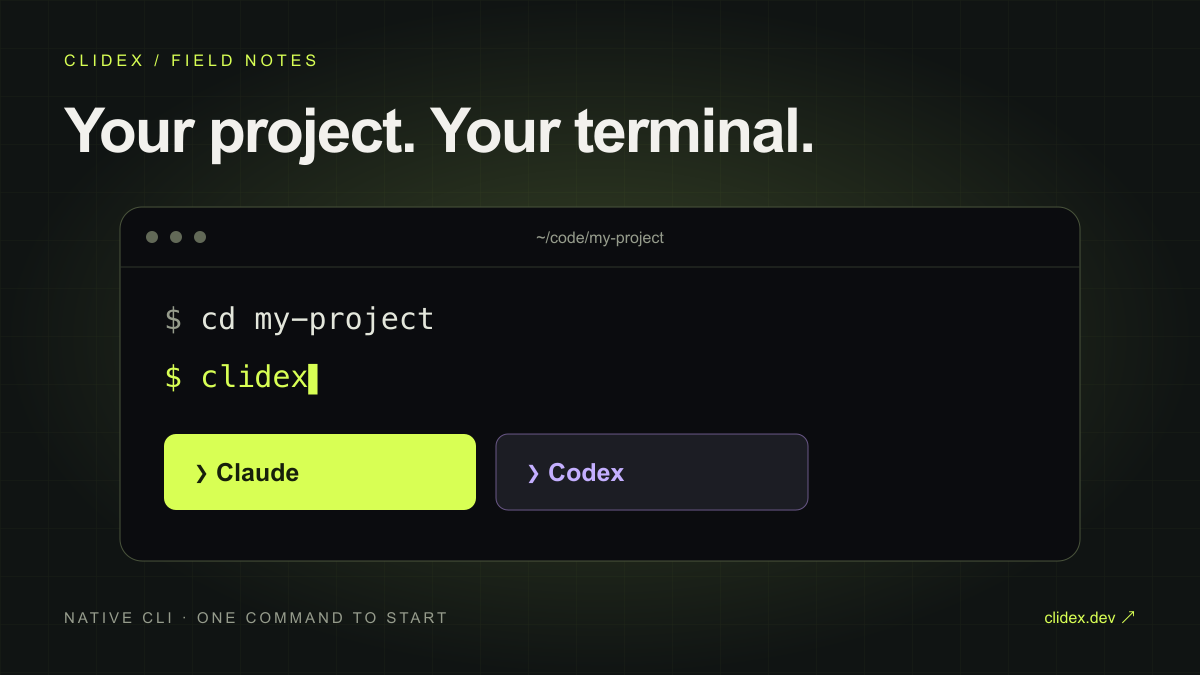
3. cd into a project and run clidex
cd ~/code/my-project
clidex
With no subcommand it is equivalent to clidex connect, and the workspace defaults to the current directory, so there is no need to pass -w. The first time you enter a project you pick Claude or Codex and can choose to remember it for that project, after which it starts straight away.
To switch temporarily:
clidex --claude          # Claude for this session only
clidex --codex           # Codex for this session only
clidex --choose-agent    # pick again and adjust whether to remember
Choices are stored per directory under ~/.config/clidex/projects/ on your machine. Nothing is written into your project.
What I ran first after installing
Before opening a session, I went through the client’s read-only commands.
$ clidex version
clidex version 0.1.6 (commit: d795bbb, built at: 2026-10-15T09:32:27Z, by: goreleaser)
Update check: 10-18 10:00, up to date
$ clidex status
Account <your username>
Token default
Billing Pay as you go (deducted from balance)
Balance $<current balance>
Quota Unlimitedclidex status shows the billing mode and balance at a glance, and --json makes it easy to feed into scripts or monitoring.
The command list in clidex --help is short enough to remember at once:
| Command | Purpose |
|---|---|
clidex / clidex connect |
Start an interactive AI pair-programming terminal |
clidex init |
One-time account pairing |
clidex max |
Allocate only Max subscription accounts |
clidex status |
Show balance and billing mode |
clidex tray |
Keep the balance in the system tray |
clidex update |
Check for and install the latest version |
Details that smooth out daily use
Bring your tuned setup along
Your CLAUDE.md, skills, commands, AGENTS.md and session history do not need to be rebuilt in a new environment:
clidex --load          # sync Claude config and this directory's history
clidex --load codex    # sync Codex config and this directory's history
It scans first and lists what it skipped, then shows a checklist so you decide what to upload. Afterwards, open a session in the same directory and use /resume to continue an earlier conversation.
Some boundaries worth knowing: env, hooks, permissions, MCP, plugins and memory are not synced, because they could redirect a session elsewhere or run machine-specific commands.
When quota runs low, switch accounts and continue
When the current account’s credential usage nears its threshold, the terminal says it is switching accounts, requests a new session from the platform and resumes your context, so you do not have to restate the task. It retries up to 3 times automatically, and if that still fails it tells you to run clidex connect again.
Need a stronger account: clidex max
clidex max             # use the Agent remembered for this project
clidex --claude max    # Claude Max
clidex --codex max     # ChatGPT Pro / Pro Lite
Available once your balance reaches the platform threshold. If no Max account is free, the session still opens on a regular account and the terminal says so, instead of leaving you stuck.
Balance in the tray
By default a balance icon sits in your menu bar or notification area. It turns yellow below the threshold (default $5) and red below a fifth of it, the least intrusive reminder while you are deep in code. Add --no-tray if you do not want it.
Updates mostly look after themselves
The client checks for new versions in the background, downloads quietly while a session runs, and mentions it when you finish, so the next launch is the new version. To be told but not replaced, set CLIDEX_AUTO_UPDATE=0.
How billing works
Clidex is pay as you go, metered per token, with no monthly fee. The pricing page describes rates as around 90% cheaper than official prices overall; see the live pricing page for the exact rate of each model.
Who it is for
- People who work in the terminal and do not want to bounce between browser and editor.
- People who want the native Claude / Codex experience and to pay only for what they use.
- Heavy users who keep getting interrupted by single-account rate limits.
Try it now
curl -fsSL https://clidex.dev/install.sh | bash
clidex init https://api.clidex.dev <YOUR_TOKEN>
cd your-project && clidex
Full options and mechanics are in the docs. If you build something interesting with Clidex, send it our way, and it may become the next case study.